
REQVERA/Final check before submission
Choose a question. Explore its demonstration.
Commitments supported?
Match the commitment to approved, relevant evidence.An unsupported commitmentFixes rechecked?
A saved correction means the previous check must be rerun.A correction to recheckExact version to submit?
Review the generated buyer files before your team submits.The final files to review
Integrated bid portfolio
Find the bid that needs attention before opening its review.
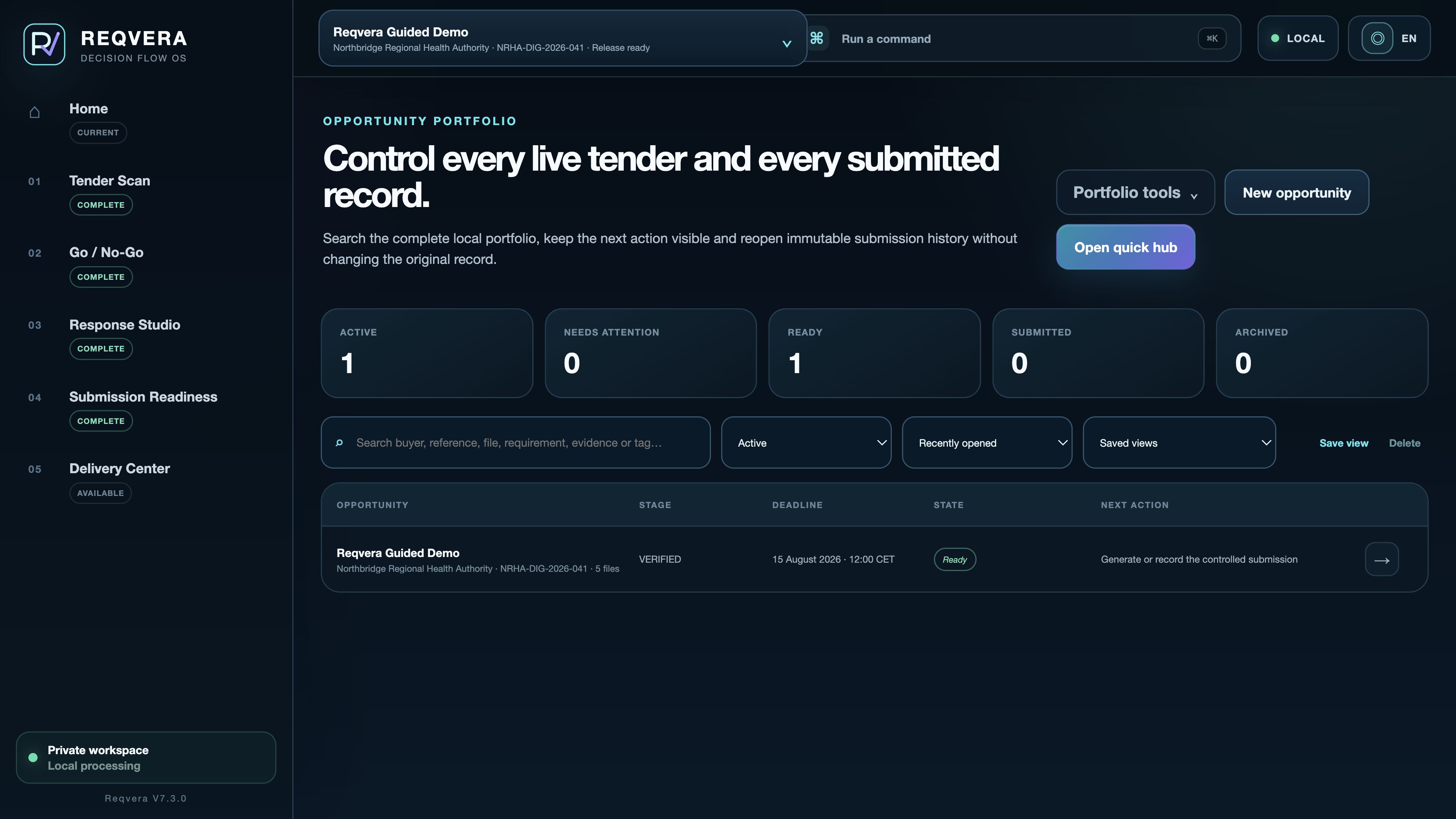
- Select the bid
- Search or filter the dossiers.
- Check the deadline
- Read the date and readiness.
- Resume the review
- See the next review action.
30-second proof · pack generation
One missing proof. The pack stays blocked.
0:000:30
Video controls: Space or K plays and pauses, F toggles fullscreen, M toggles mute, and the arrow keys seek five seconds.
FROM REQUIREMENT TO SUBMISSION
The requirement. The evidence. The files you release.
Follow the same control chain through four authentic product views.
BUYER REQUIREMENT
Start with what the buyer actually asked for.
Review the source wording and the requirement it supports. If the buyer documents change, update the project and run the checks again.
Authentic application screens · demonstration data · English interface
REQVERA FOR WINDOWS
One licence. No subscription. Delivered through Microsoft Store.
REQVERA 7.3 for Windows 10/11 x64. Purchase, licensing and updates are handled through Microsoft Store.
Windows 10/11 · x646 interface languagesLocal-first workspace
RFP, RFQ & tender control
Your response is written. Check the final bid files.
REQVERA links current requirements, approved evidence and unresolved issues to the files your team will submit.
Is REQVERA another proposal-writing tool?
No. Keep Word and your existing writing tools. REQVERA checks the current requirements, approved evidence and final bid files before your team submits.
Does REQVERA submit automatically?
No. Your team makes the final decision, checks the buyer portal and uploads the bid.
Does this website process tender files?
No. This website and its assistant provide product guidance. Bid documents are imported into the Windows app, not this website.
READY WHEN YOU ARE
Keep the workflow. Add the final control layer.
One-time licenceWindows 10/11Human-controlled submission